

Features
Read the answer
Mark it
Keep asking
See the structure at a glance, then pick
Keep the hierarchy, as a document
Thinket Explorer.Start from a question
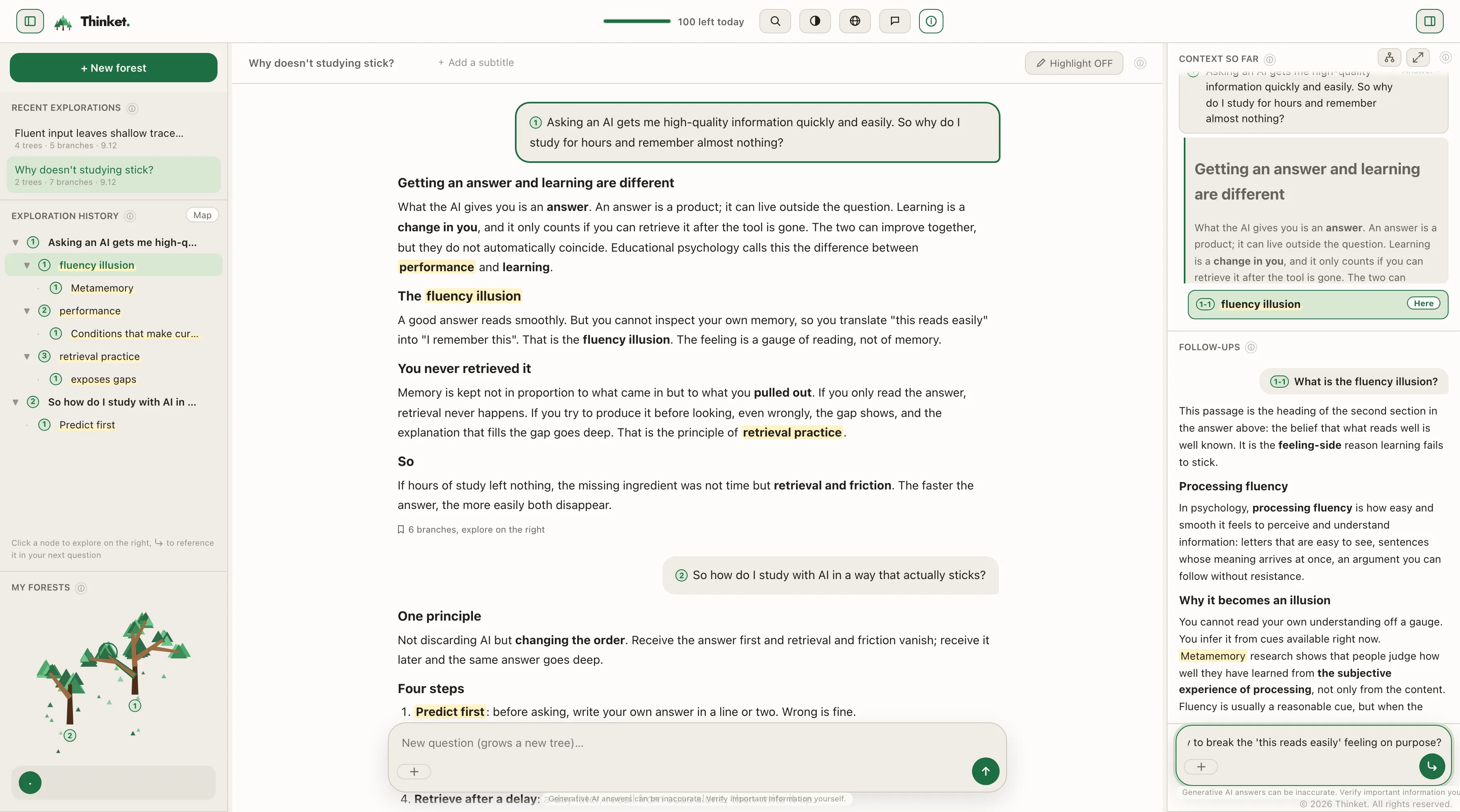
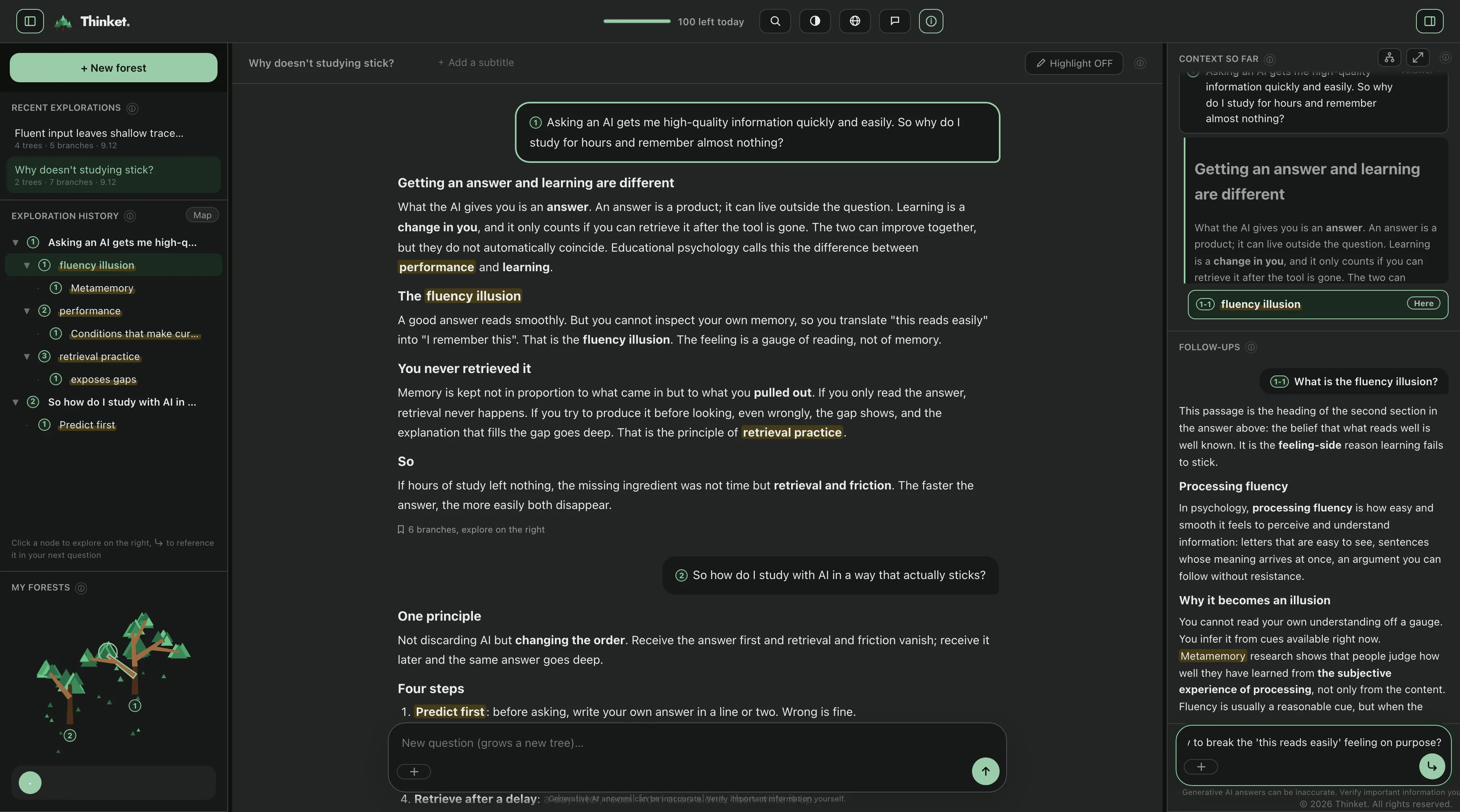
The familiar way. Ask anything in the center pane, and when a follow-up surfaces as you read, move it to the sidebar on the right and carry on.
Highlight a phrase in an answer and a question box opens right where you are. Your follow-ups carry on down the right, while on the left the trail of your exploration grows into a tree.
Thinket Reader.Start from a documentNEW
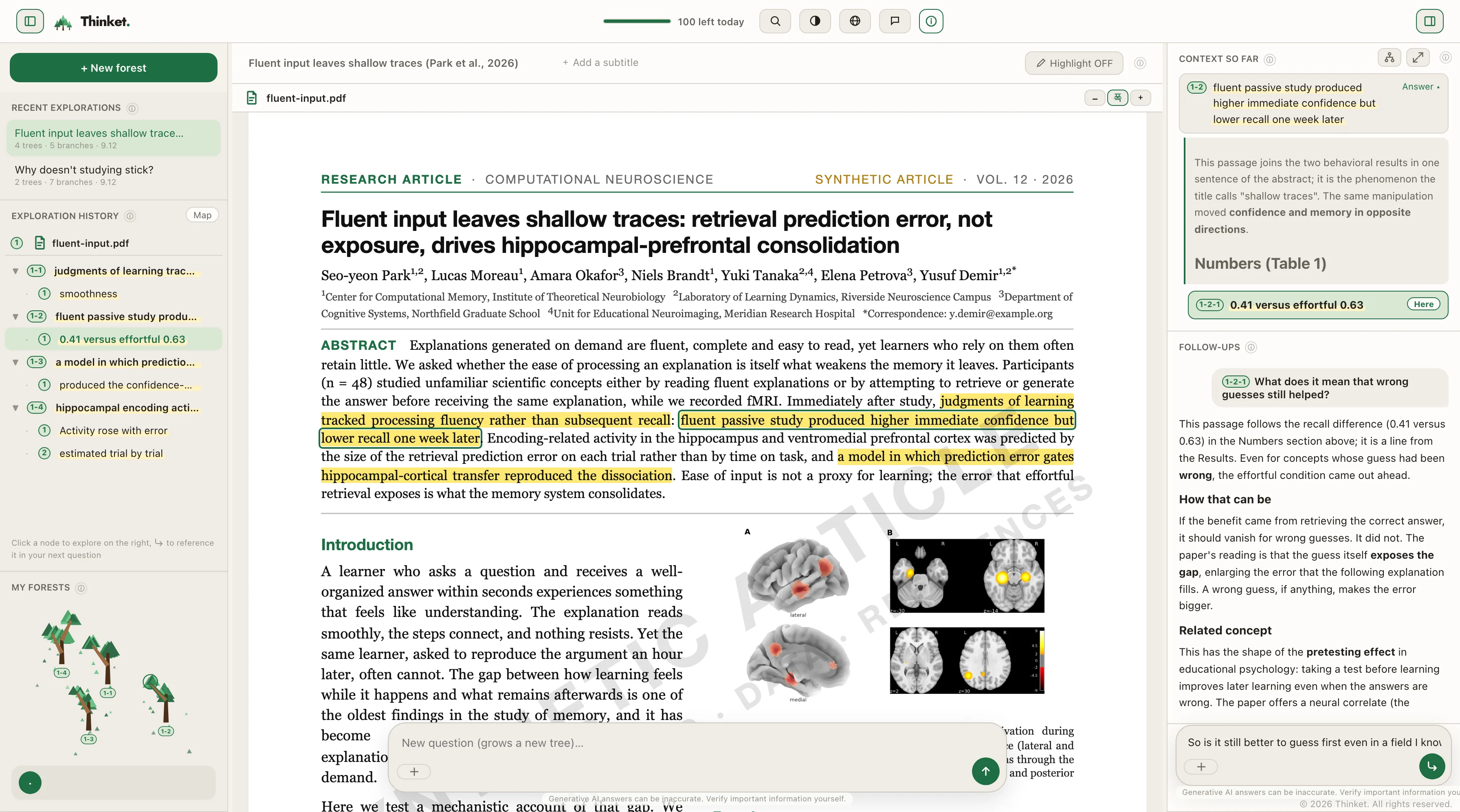
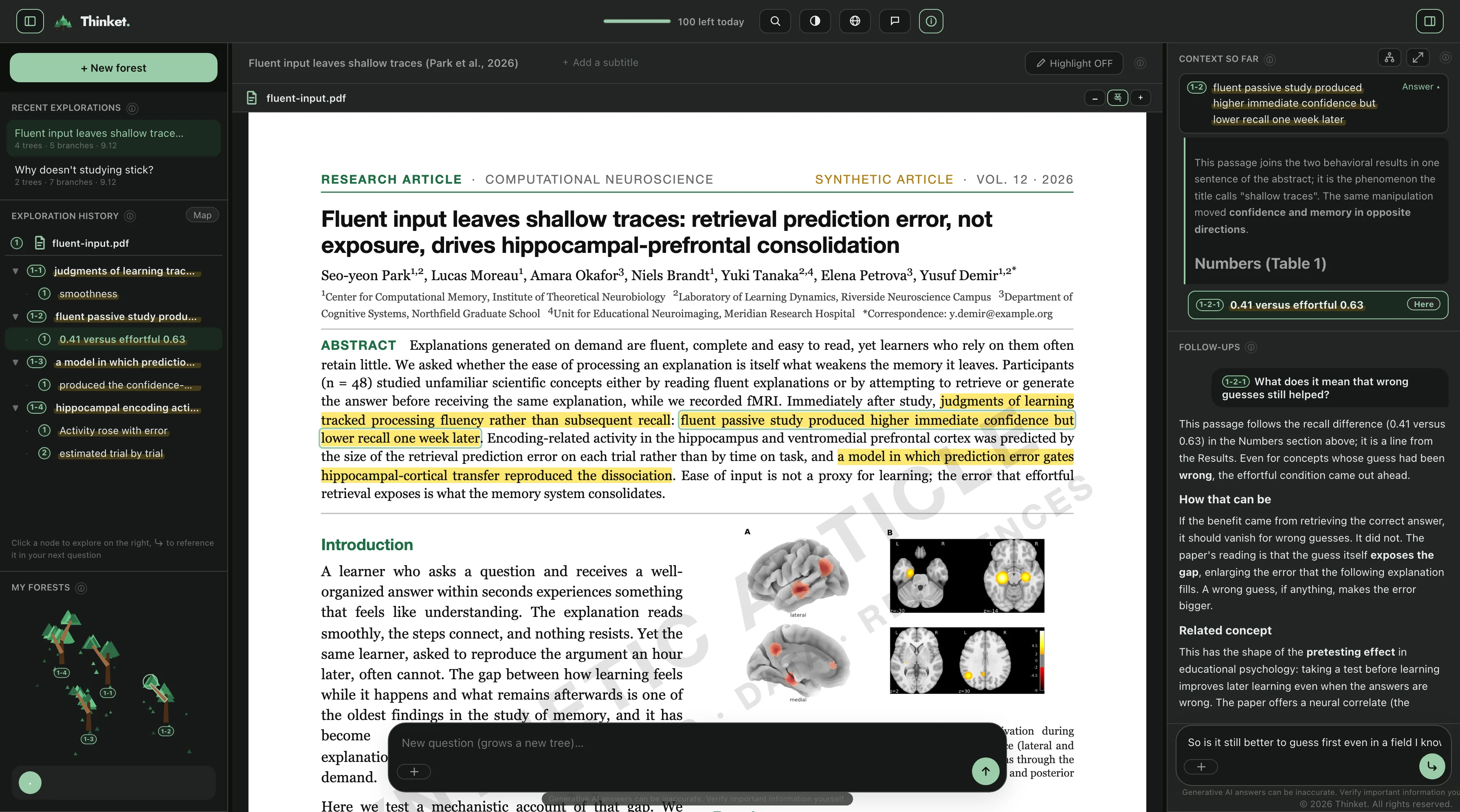
Keep a paper or a dense document open in the center pane, and the moment a passage puzzles you, highlight it and ask right there.
Papers and course material open in the center pane exactly as they are. Highlight to ask on the spot, and every answer is grounded in the document itself.
Thinket Memo.Start from your notesNEW
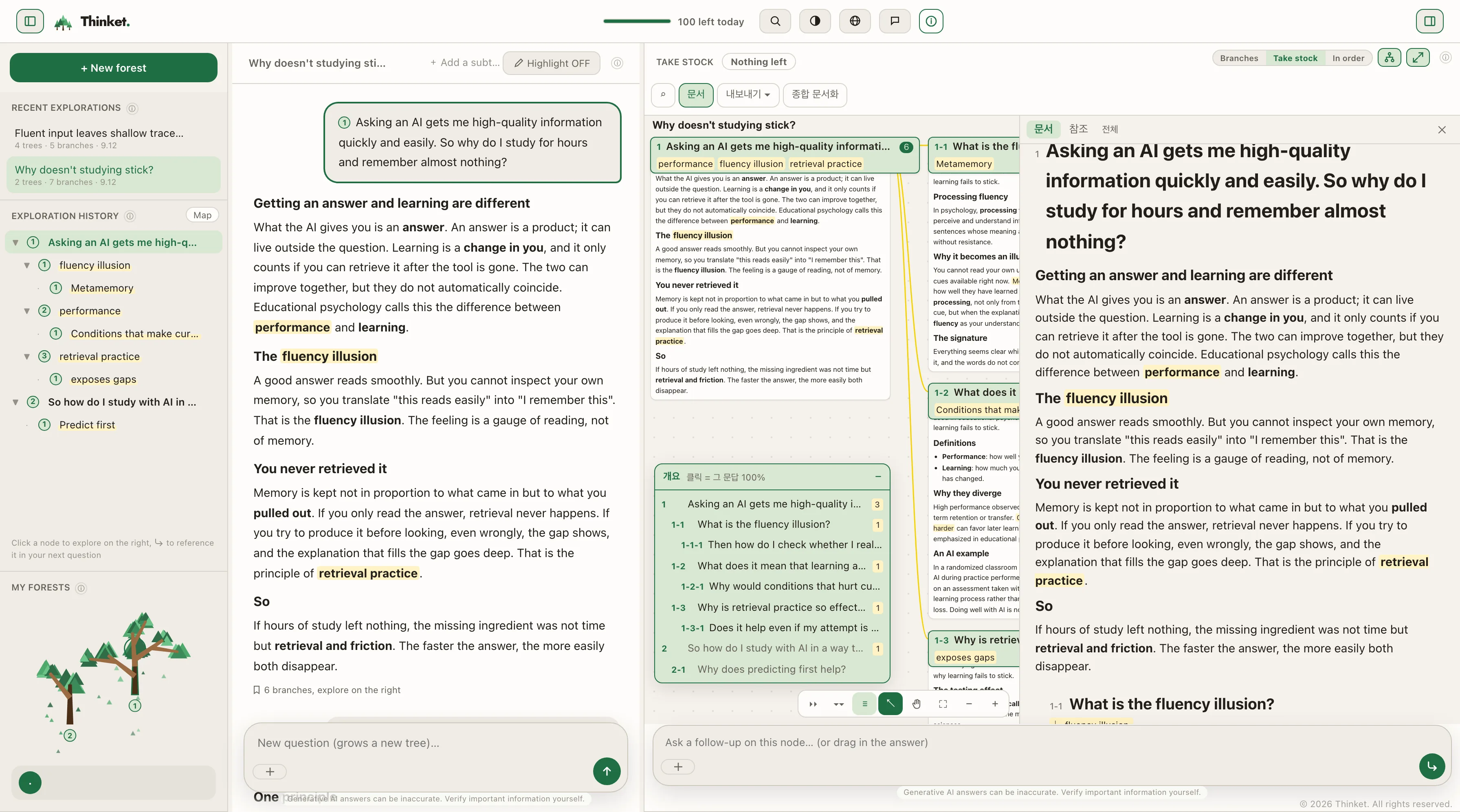
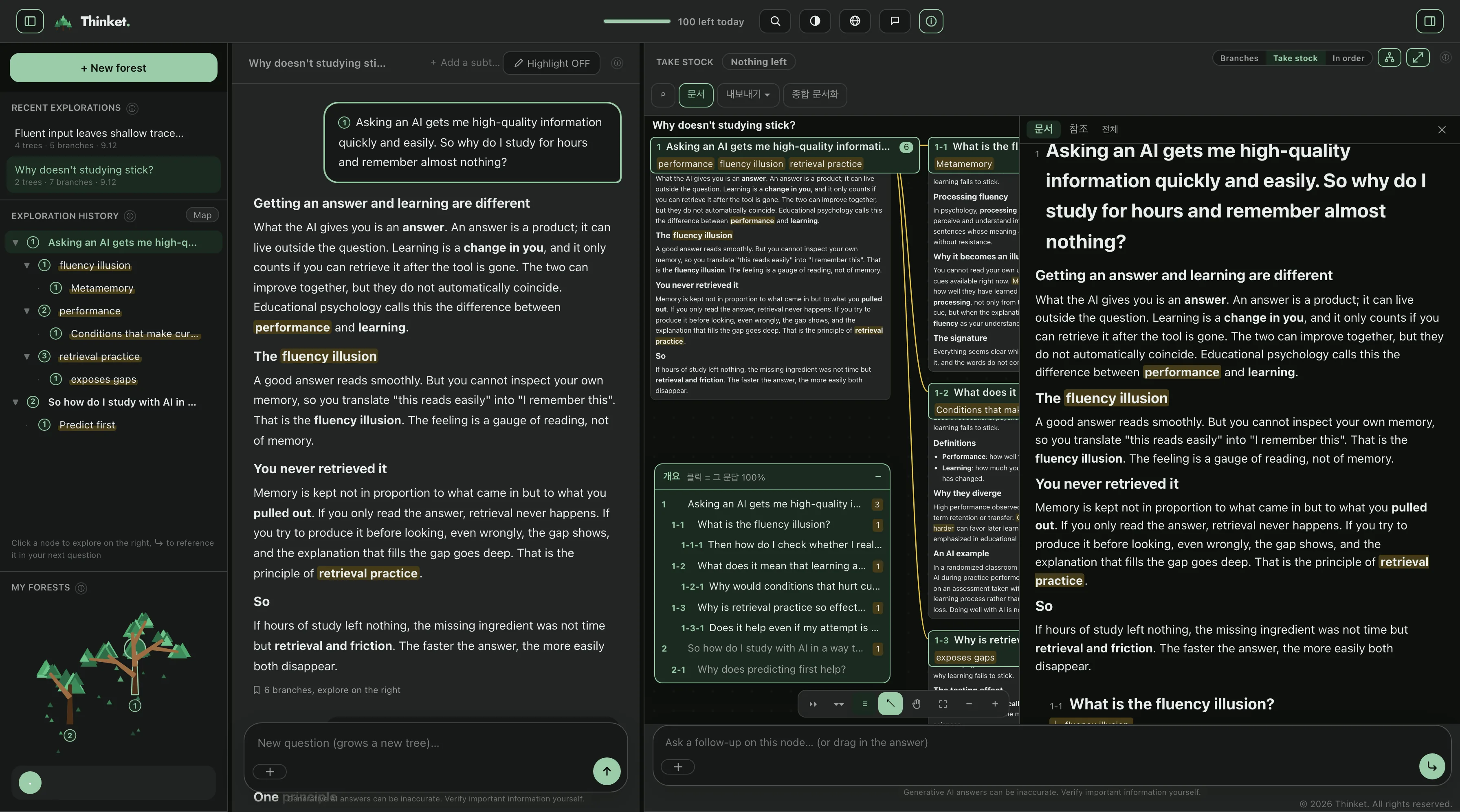
Thinket Memo comes built into both Explorer and Reader. Every trace of your exploration stays on the canvas as a memo, just as you left it. And because the flow of exploration already carries its own hierarchy, picking the memos you want is enough to assemble a write-up of your own.
Build the write-up in one click and export it to PDF or Word. Your questions become the headings, the AI's answers the body. Synthesis, which reweaves scattered branches into a single piece of writing, lives in the same place.
Thinket Shrub.